
The Access Log within Account Management records all activity that occurs within Account Management and the Glance backend settings for a group.
Complete the following steps to view the Access Log:
- Log in to Glance.net
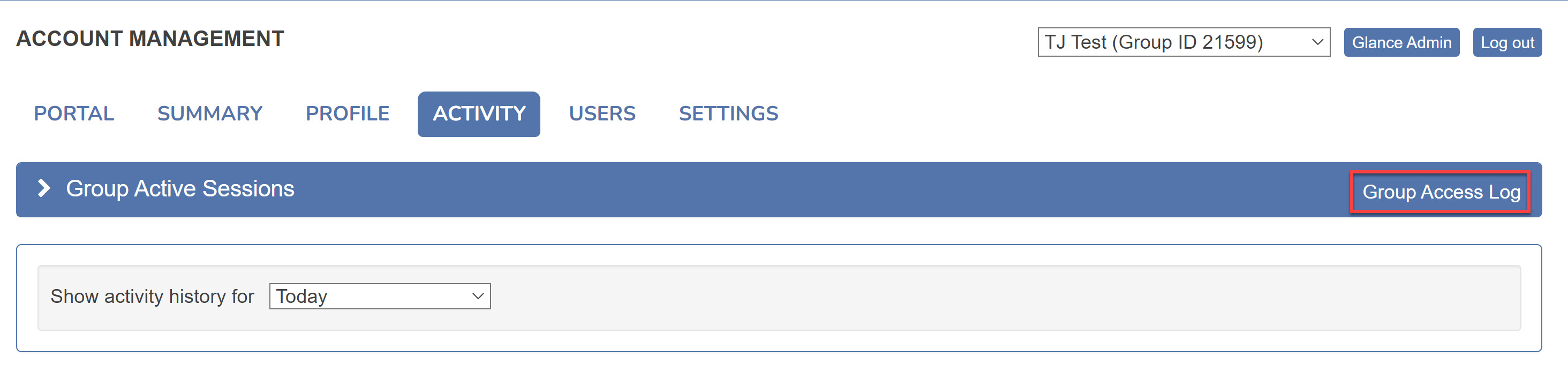
- Click the Activity tab.
- Click on Group Access Log.
- Input the date range for the activity that you wish to review.
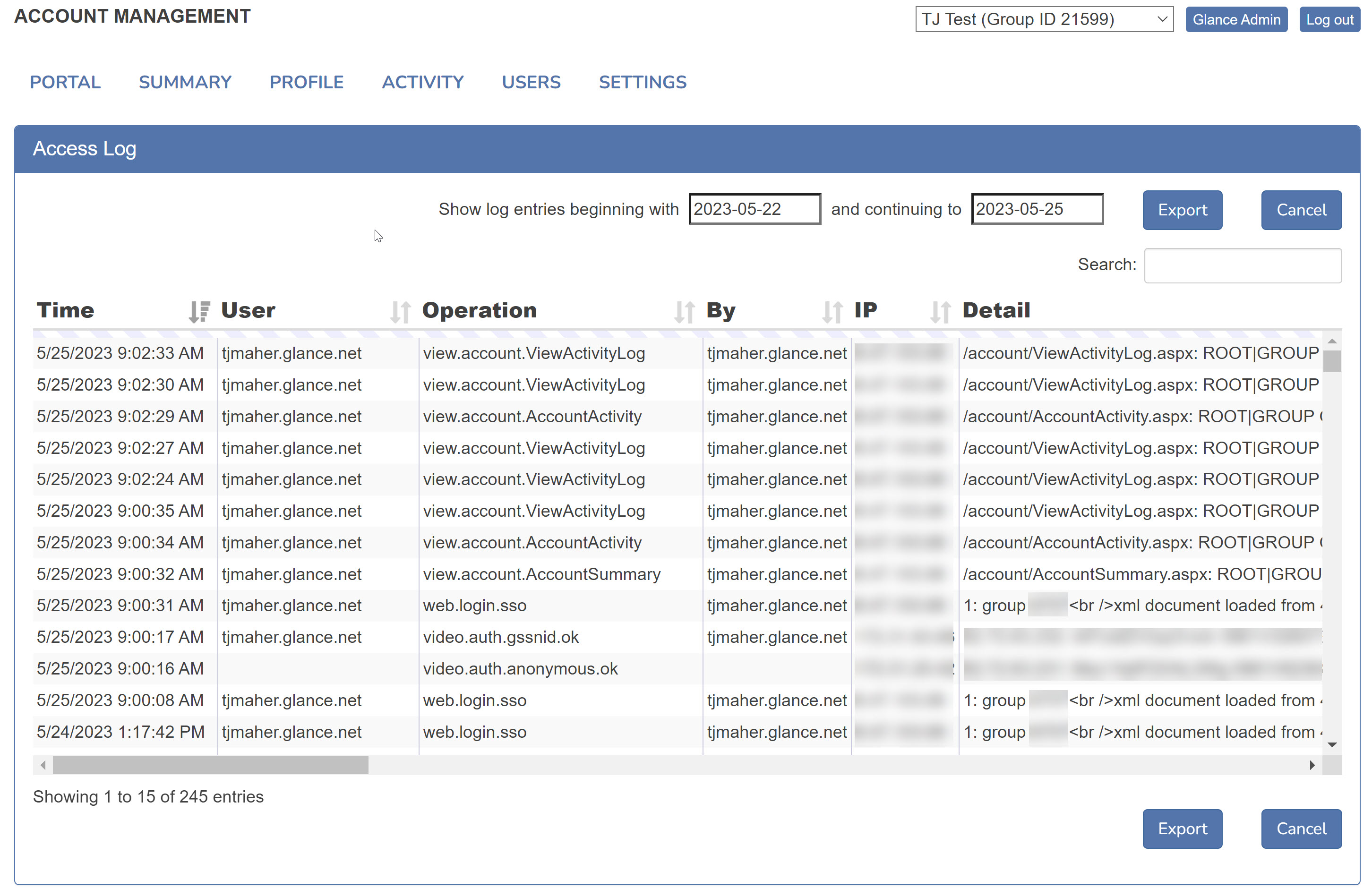
The resulting log table provides the following details:
- The Time column displays when the activity occurred.
- The User column displays the user impacted by the activity. This name will default to the user responsible for the activity if it impacts the entire group.
- The Operation column displays where the activity occurred and the type of action taken. Refer to the Operation table for detailed information.
- The By column displays the user responsible for the activity.
- The IP column displays the IP address from where the activity occurred.
- The Detail column displays additional information regarding the activity.
Operation Table
| Operation | Description |
|---|---|
sitecust.edit.cobrowse | An update was made to the Cobrowse Settings within the Glance backend settings. Review the Detail column for specific information. |
sitecust.edit.screenshare | An update was made to the Screenshare Settings within the Glance backend settings. Review the Detail column for specific information. |
sitecust.edit.video | An update was made to the Video Settings within the Glance backend settings. Review the Detail column for specific information. |
sitecust.edit.joinpage | An update was made to the Join Page Settings within the Glance backend settings. Review the Detail column for specific information. |
sitecust.edit.presence | An update was made to the Presence Settings within the Glance backend settings. Review the Detail column for specific information. |
sitecust.edit.sms | An update was made to the SMS Settings within the Glance backend settings. Review the Detail column for specific information. |
sitecust.edit.general | An update was made to the General Group Settings within the Glance backend settings. Review the Detail column for specific information. |
sitecust.add.pagecust | An update was made to the Page Customization Settings within the Glance backend settings. Review the Detail column for specific information. |
update.account.AccountSettings | Updates were made in the Settings tab. Review the Detail column for specific information. |
update.account.portal.EditRoleSe | Updates were made to the Role Settings section within the Portal tab. Review the Detail column for specific information. |
user.add | A user was added to the group. |
user.delete | A user was deleted from the group. |
user.edit.contact | A user's contact information was edited. |
view.account.AccountActivity | Accessed the Activity tab. |
view.account.AccountCobrowse | Accessed Manage your cobrowse settings within the Settings tab. |
view.account.AccountPageCustomiz | Accessed Manage your page customization settings within the Settings tab. |
view.account.AccountProfile | Accessed the Profile tab. |
view.account.AccountProvisionSSO | Accessed Manage your single sign-on settings within the Settings tab. |
view.account.AccountSessionDetai | Accessed Session Detail within the Summary tab. |
view.account.AccountSettings | Accessed the Settings tab. |
view.account.AccountSummary | Accessed the Summary tab. |
view.account.AccountUsers | Accessed the Users tab. |
view.account.AccountVideo | Accessed Manage your video settings within the Settings tab. |
view.account.EditUser | Accessed Edit Users within the Users tab. |
view.account.portal.AddSubscribe | Accessed Add Users within the Portal tab. |
view.account.portal.ChoosePlans | Accessed Choose plans available to this group within the Portal tab. |
view.account.portal.ConvertPartn | Accessed Convert a group to partner within the Portal tab. |
view.account.portal.CopyCustomiz | Accessed Copy customizations within the Portal tab. |
view.account.portal.CreateGroup | Accessed Create account within the Portal tab. |
view.account.portal.EditGroupSet | Accessed Account Settings within the Portal tab. |
view.account.portal.EditRoleSett | Accessed Role Settings within the Portal tab. |
view.account.portal.EditSubGroup | Accessed Inheritance within the Portal tab. |
view.account.portal.EditSubscrib | Accessed Edit Users within the Portal tab. |
view.account.portal.ExportSubscr | Accessed Export users within the Portal tab. |
view.account.portal.InsertSub | Accessed Insert an existing group under this group within the Portal tab. |
view.account.portal.ManageSubscr | Accessed Bulk update users within the Portal tab. |
view.account.portal.Summary | Accessed the Portal tab. |
view.account.ViewActivityLog | Accessed the Activity Log. |
view.account.portal.ViewHistory | Accessed the Access Log within the Portal tab. |
web.login | Logged in to Glance.net using a password. |
web.login.sso | Logged in to Glance.net using SSO. |
Note
If you need additional detail regarding an operation not defined on this page, Contact Glance.