
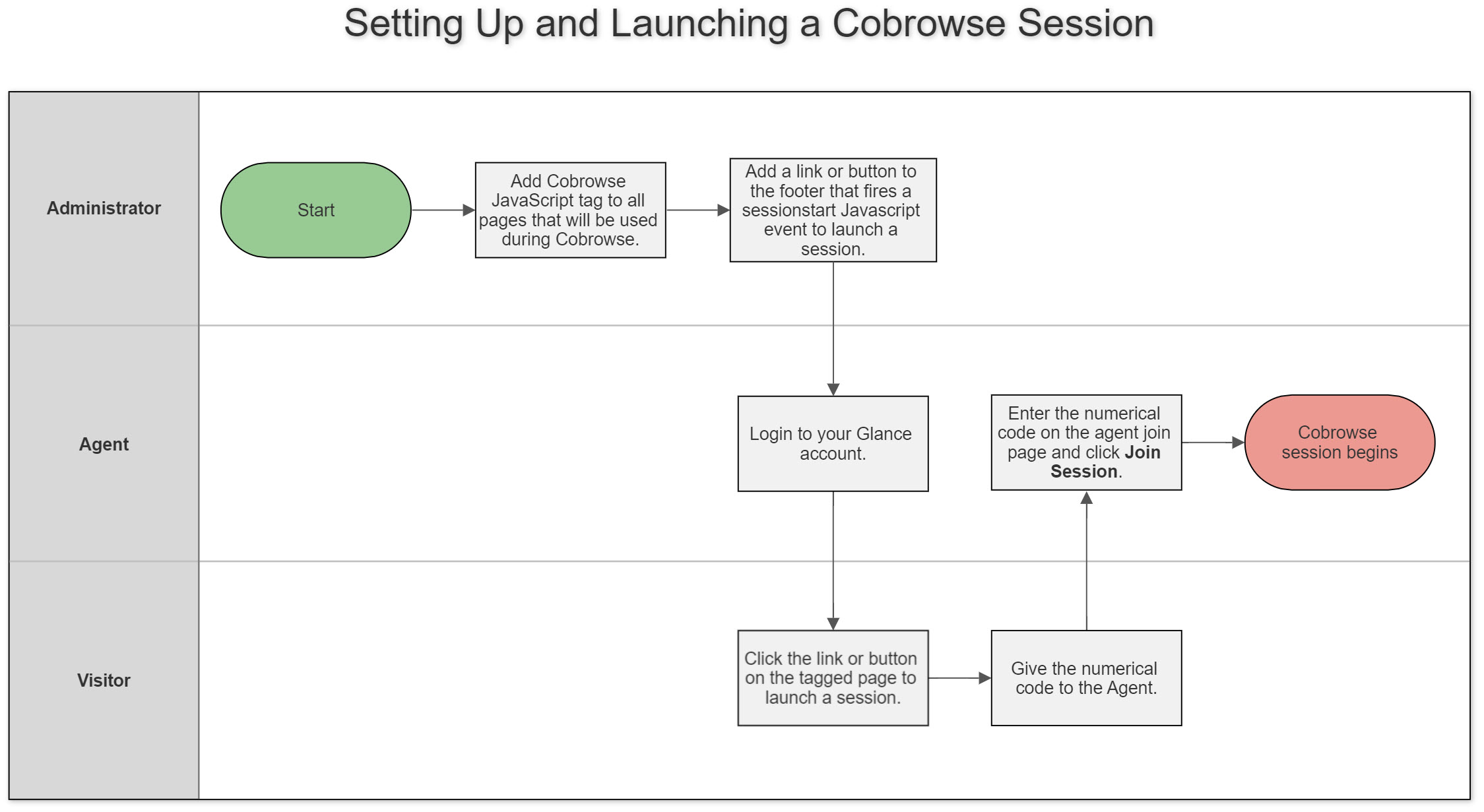
Once you set up Cobrowse, an agent can direct a visitor to click a link or button on the website and share the code that appears, or it can be integrated into the agent's CRM system so that the agent can initiate a session for the visitor to accept.
In This Section
Managing Glance Cobrowse Settings
Learn how to locate your Customer Group ID and manage Glance Cobrowse settings in your account dashboard.
Presence / 1-Click Requirements
Presence allows agents to cobrowse with visitors instantly.
Setting up Multiple Groups
Learn how to configure multiple groups, start sessions in specific groups, and manage cross-group security.
Join a Glance Session
Learn how agents can join a Glance Cobrowse session using a standalone link or through a CRM integration like Salesforce.
Single Sign-on (SSO)
Learn how to use Single Sign-On (SSO) to allow agents to join a Glance Cobrowse session directly from their CRM.
Cobrowse Asset Management
Learn how to capture, store, and display website assets like stylesheets, fonts, or images automatically using Cobrowse Asset Management.
Self-Hosted Scripts
Learn how to host the Glance Cobrowse script on your own server and manage version upgrades.
Accessibility
Learn about Glance Cobrowse accessibility features, including screen reader compatibility, agent gesturing, and keyboard navigation.
URL Configuration
Learn how to configure and customize the URLs displayed during a Glance Cobrowse session, including Terms and Conditions and Guest redirects.
Cobrowse Widget Customization User Guide
Learn how to use the Cobrowse Widget Customization UI to update colors, branding, languages, text, and custom CSS for Staging and Production.
Glance UI Reference
A comprehensive guide to the agent, visitor, and guest interface controls used during a Glance session.
Glossary
A glossary of common terms and definitions used throughout the Glance platform.