
The Advanced page, located in the Settings section, allows the user to configure additional settings for Cobrowse.
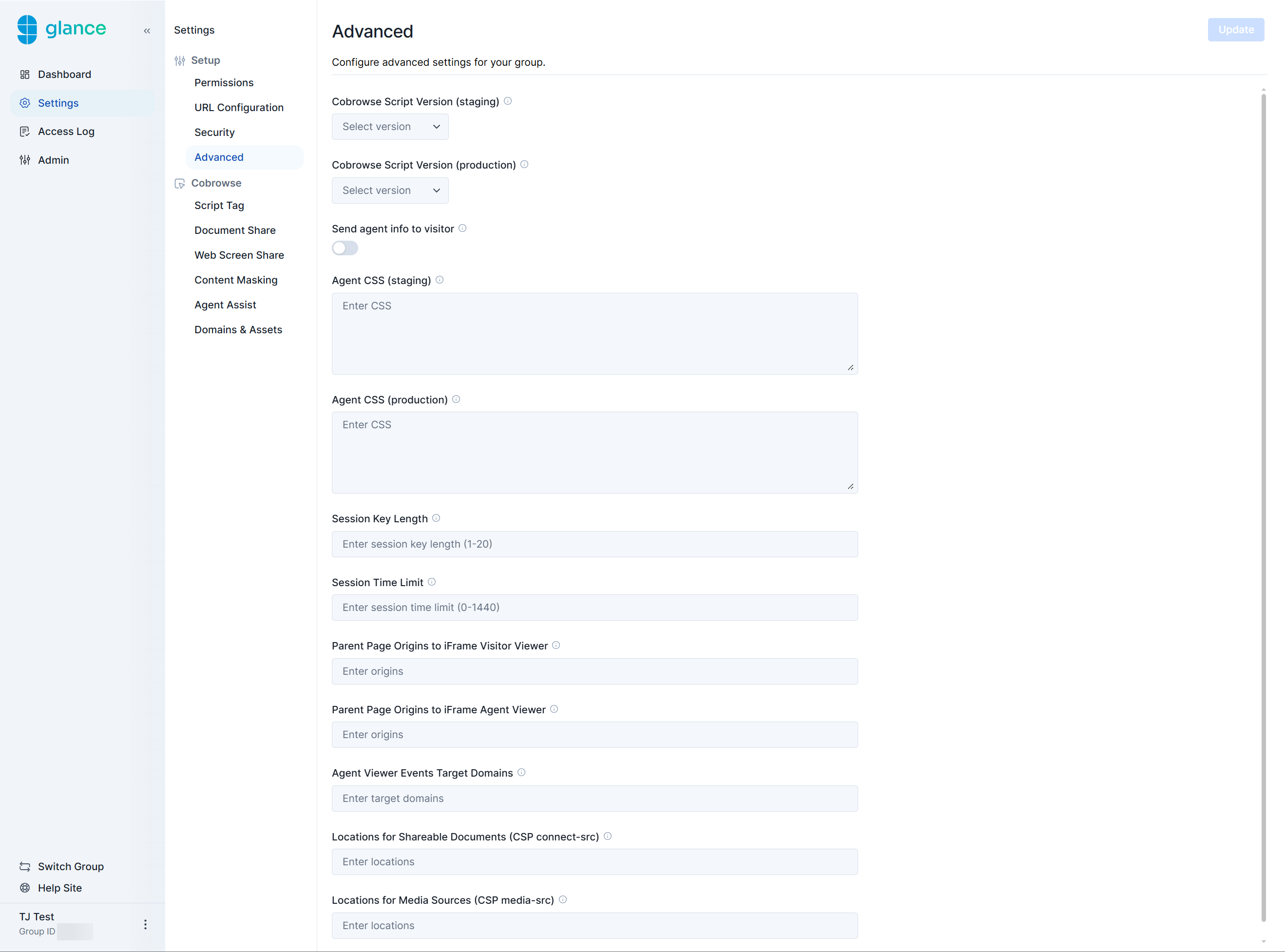
Send agent info to visitor
Enabling this setting allows the visitor to see the agent's name while they're gesturing.
Additionally, the agent's name, title, partner user ID, and Glance Address are shared in the agent events within Dev tools.
Agent CSS (staging & production)
Agent CSS allows you to quickly fix specific pages or repeated elements with similar classes. Enter any CSS changes needed to ensure the content on the visitor's screen accurately renders for the agent (usually used for fonts or masking elements).
Screen Share Session Key Length
Set the length of the session key for a Screen Share session. The default is four characters.
Cobrowse Session Key Length
Set the length of the session key for a Cobrowse session. The default is four characters.
Session Time Limit
Set a maximum time limit (in minutes) for how long a Screen Share session can last.
Parent Page Origins to iFrame Visitor Viewer
This setting specifies which origins can iframe the visitor join or start pages from an external system (such as Salesforce). Enter the URL where the join or start page will be embedded (iframed).
Parent Page Origins to iFrame Agent Viewer
Used when launching the agent viewer from an external system (such as Salesforce). Enter the URL where the join page and agent viewer will be embedded (iframed).
Agent Viewer Events Target Domains
This setting determines which hostnames are allowed to receive session events (e.g., session ended) posted from the Glance Viewer. You may use a wildcard (*) to allow all hostnames, but for security reasons, it is strongly recommended to restrict this to trusted domains only.
Locations for Shareable Documents (CSP connect-src)
Enter the URLs for shareable documents (e.g., PDFs) that are housed on external platforms. If several documents are hosted on the same top-level domain, enter the top-level domain with a wildcard once to cover all of them. (Example: https://*.abc.com)
Locations for Media Sources (CSP media-src)
Enter the URLs for media sources (e.g., iframed videos) that are housed on external platforms. If several sources are hosted on the same top-level domain, enter the top-level domain with a wildcard once to cover all of them. (Example: https://*.abc.com)